Lightning-fast script execution
Real Executor is engineered for speed. Instant injection, zero-lag execution, and a clean LuaU engine mean your Roblox scripts run the moment you hit execute — no waiting, no crashes, no stutter.
See performance →Real Executor is the best Roblox executor for PC in 2026 — a fast, stable, and undetected LuaU script executor with full Roblox API support. Download for Windows and run any script in seconds, completely free.
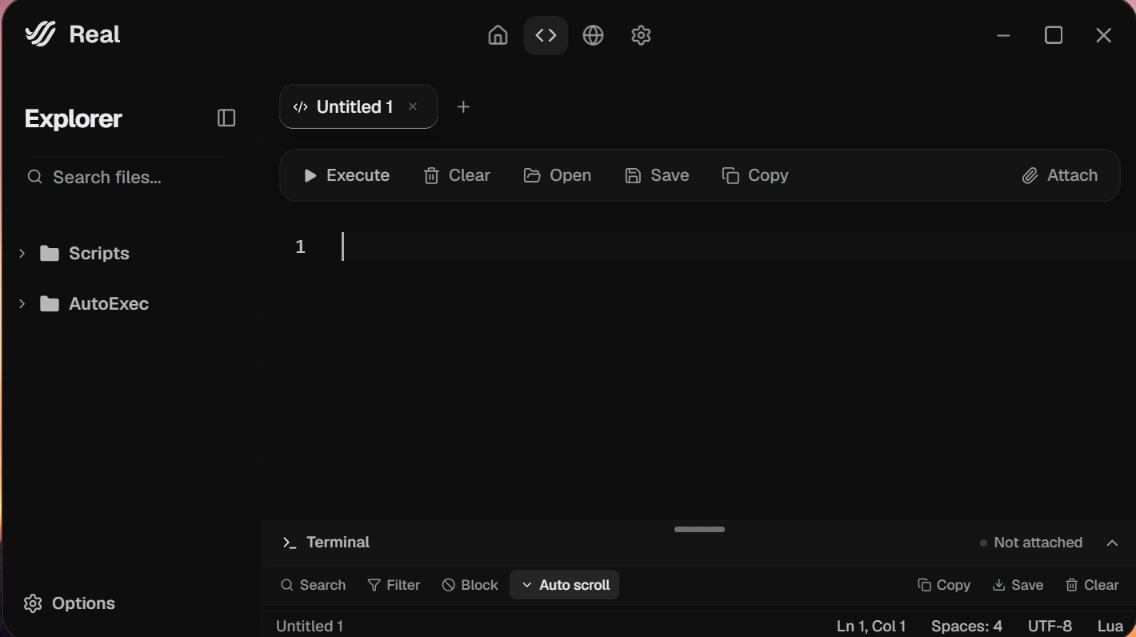
A purpose-built Roblox executor for PC with everything you need to run LuaU scripts fast — and nothing you don't.
Real Executor is engineered for speed. Instant injection, zero-lag execution, and a clean LuaU engine mean your Roblox scripts run the moment you hit execute — no waiting, no crashes, no stutter.
See performance →Run any LuaU script with smart autocomplete and real-time diagnostics.
LuaU features →Frequent updates keep Real Executor stable and undetected on PC.
How it works →Real Executor is built for real users and updated by an active community. Every release ships free, every feature is shaped by player feedback, and a 12,000-strong Discord keeps support fast. No paywalls, no lock-in.
Join the community →Grab the Windows installer, run it, and Real Executor is ready in under a minute. No account, no setup.
Open Roblox, hit inject in Real Executor, and the executor attaches to your game in a single click.
Drop any LuaU script into the editor, press Execute, and watch it run instantly — fast and stable every time.
Real Executor gives you a complete LuaU toolkit on PC — execute, edit, and debug Roblox scripts with features most executors don't offer.
type Player = {
  name: string,
  coins: number,
  level: number,
}

local function reward(
  player: Player,
  amount: number
): Player
  return {
    name = player.name,
    coins = player.coins + amount,
    level = player.level,
  }
end

-- autocomplete knows the type ✓Real Executor is optimized for Windows with full Roblox API support — fast, stable, and reliable.
Attach to Roblox in a single click. No manual setup, no DLL juggling — Real Executor handles injection for you.
Every Roblox service, class, and method is available with accurate type definitions and autocomplete.
Frequent updates keep Real Executor running smoothly and undetected after every Roblox patch on PC.
Real Executor is — and always will be — 100% free and open source.
Real Executor is the best Roblox executor for PC in 2026 — a fast, stable LuaU script executor with smart autocomplete, full Roblox API support, and one-click injection. It's free and built for Windows.
Real Executor is built for stability and ships frequent updates to stay undetected after Roblox patches, which makes it one of the most reliable Roblox executors for PC in 2026.
Yes. Real Executor is a 100% free Roblox executor for PC — no hidden costs, no paywalls, and every future update included.
Real Executor runs on Windows PC. macOS and other platforms are on the roadmap — follow the Discord for release updates.
Open Roblox, click inject in Real Executor, paste your LuaU script into the editor, and press Execute. The script runs instantly with full autocomplete and error checking.
Join thousands of players already running scripts faster with Real Executor in 2026.